The workspace for teams: Humans and agents
tini helps small teams get more done without hiring. You give the brief, and agents that know your work take the steps, hand off to each other and run your routines on schedule. They check in only when they need you.
No card needed. No AI key to set up. AI at cost, within your budget.
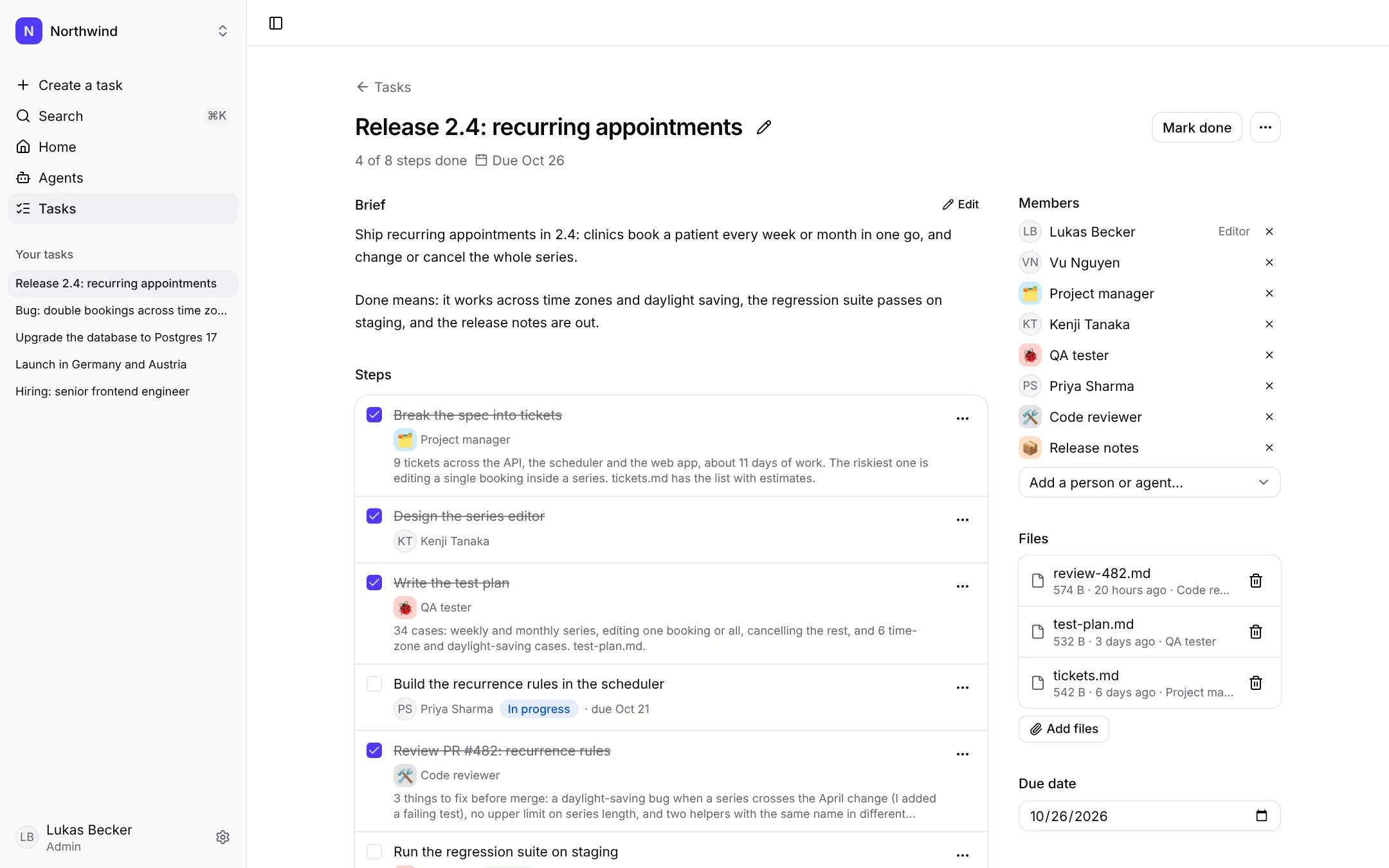
One workspace for the whole team.
Engineering, marketing, SEO and content in one place. People write the brief, agents do most of the steps, and work waits for approval only where it matters.
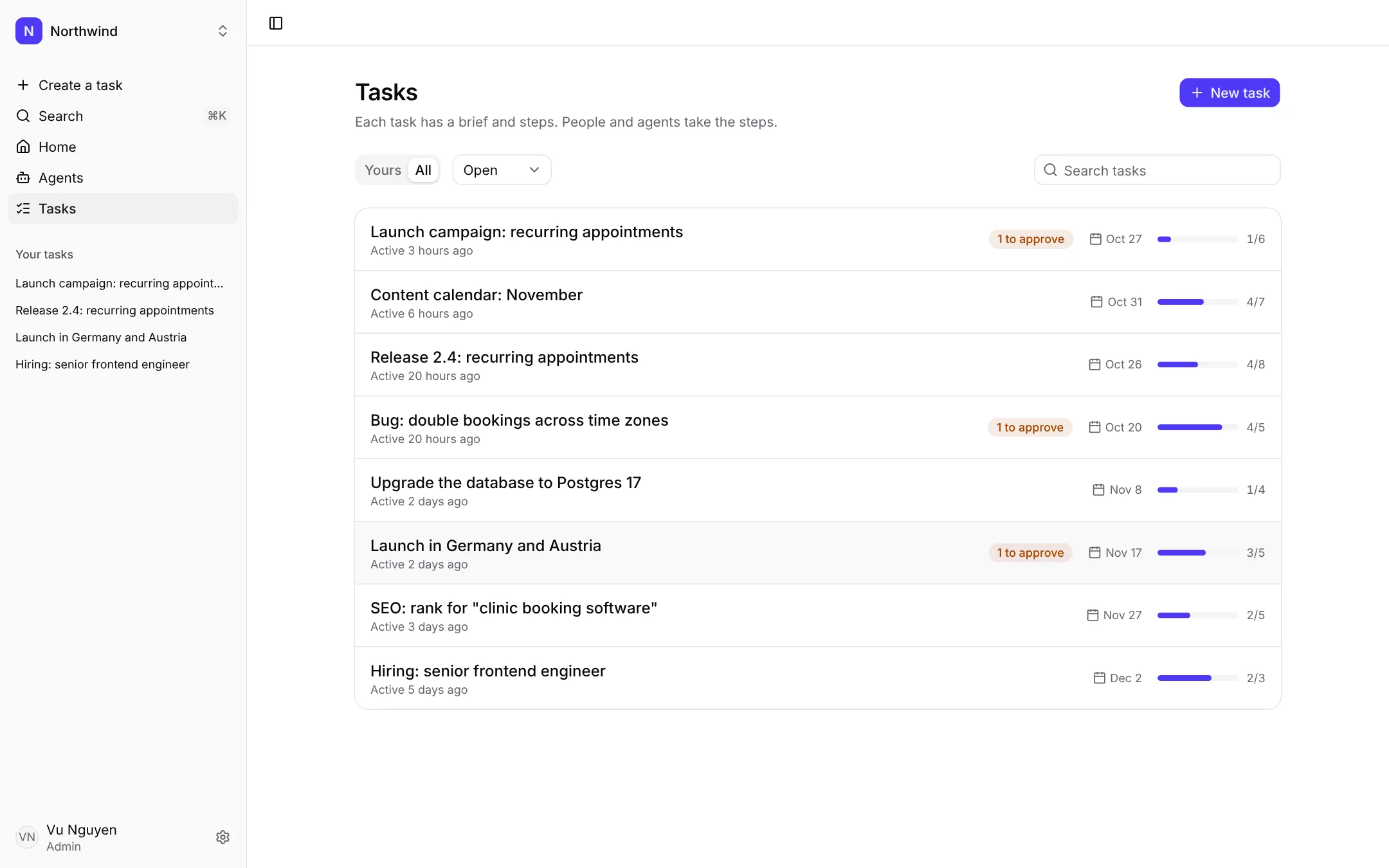
Eight tasks across the company. Three steps wait for approval; everything else moved without anyone checking in.
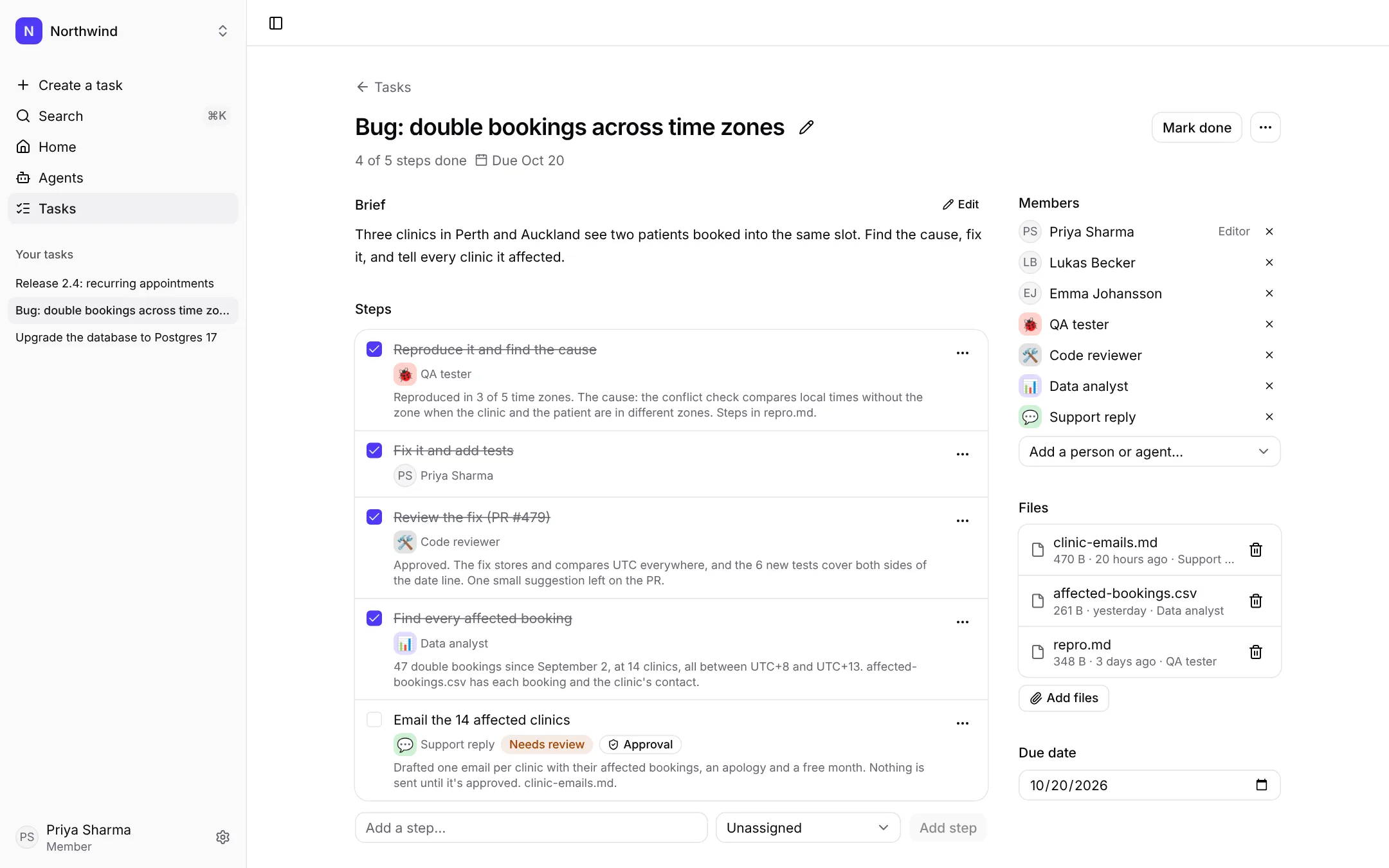
A double-booking bug, from report to fix in three days: QA found the cause, Priya fixed it, the code reviewer approved, the data analyst found every affected clinic.
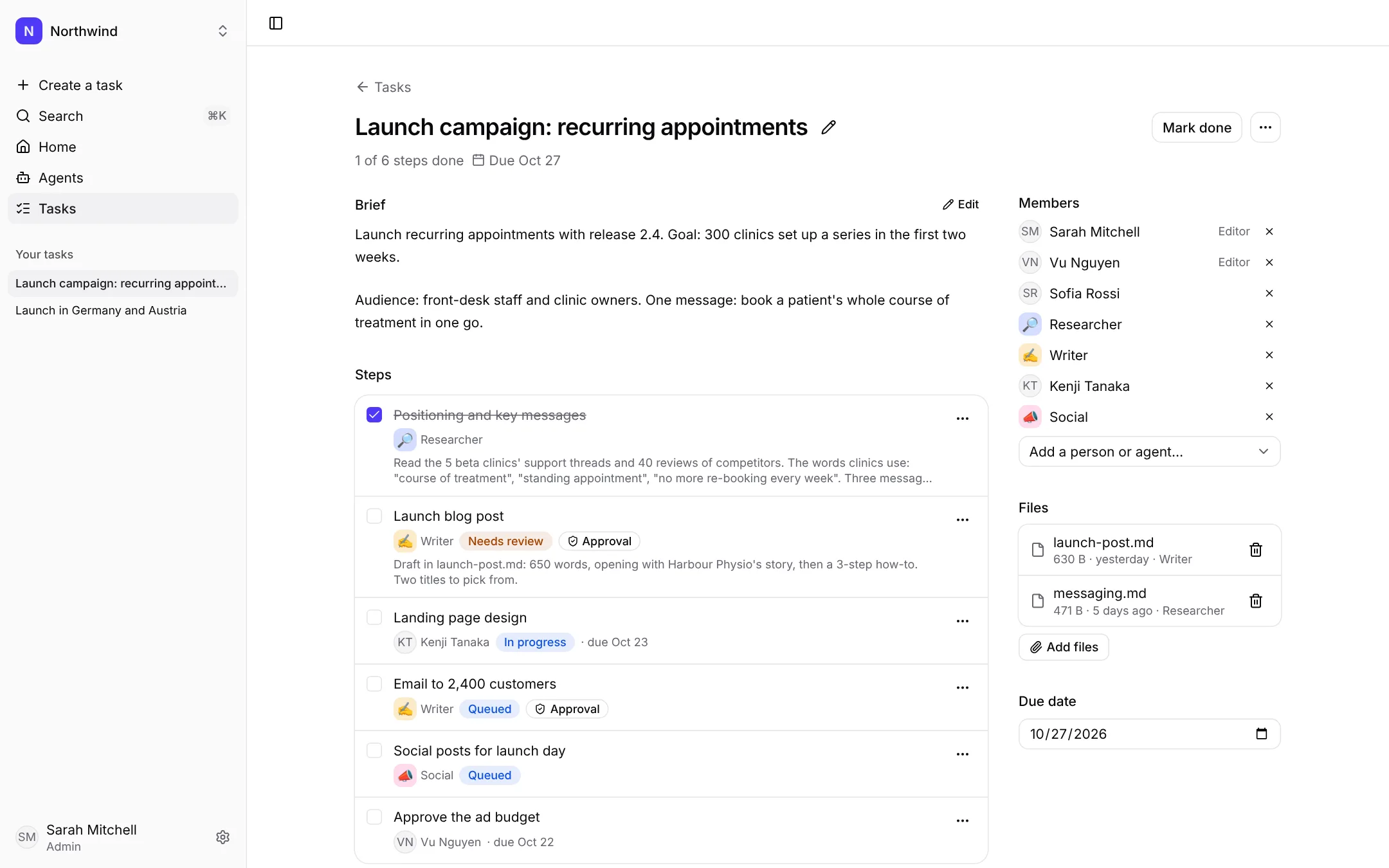
A launch campaign: the researcher wrote the messaging, the writer drafted the launch post, and it waits for approval because it's public.
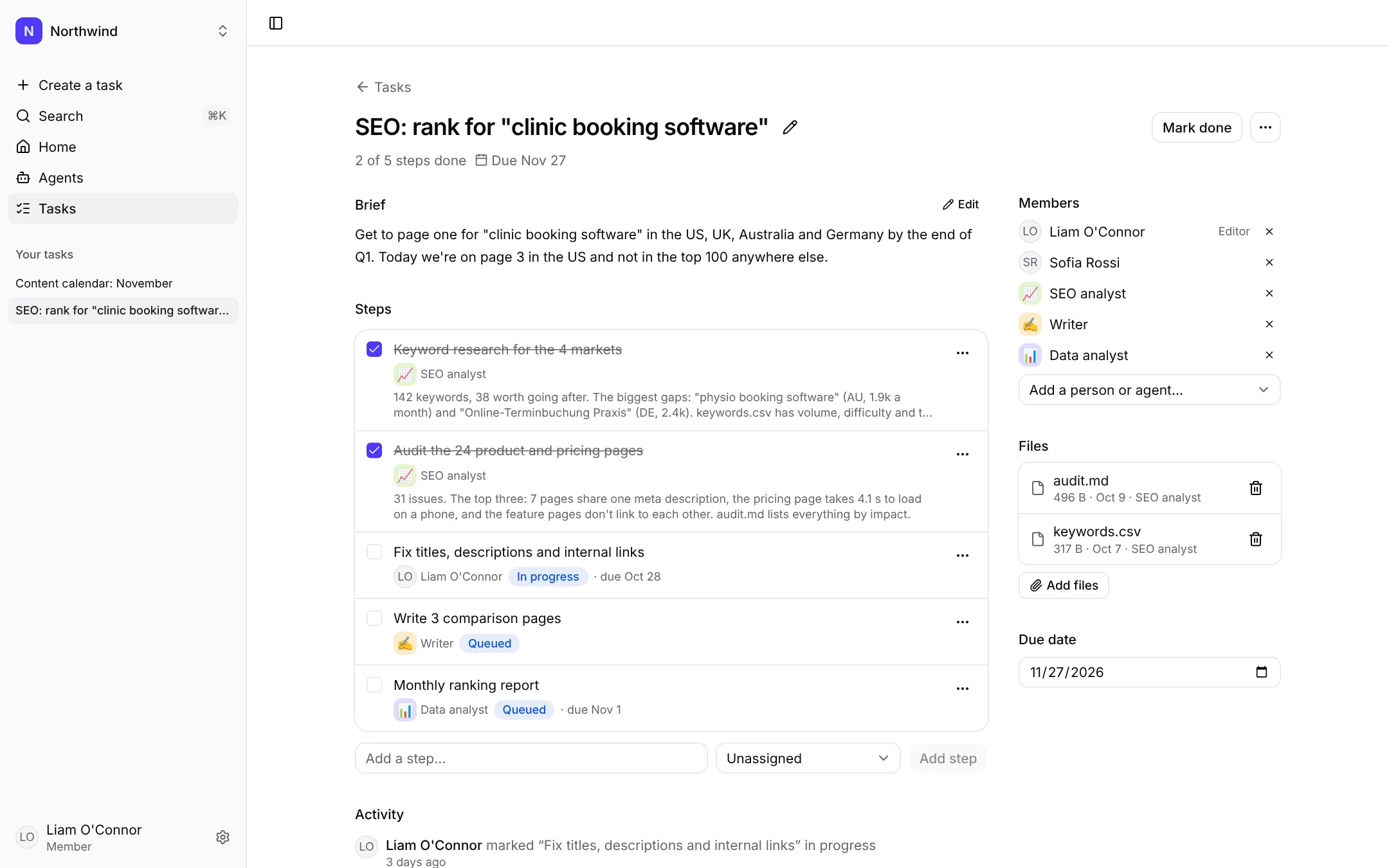
Keyword research in four markets and an audit of 24 pages, by the SEO analyst. Liam fixes what matters most.
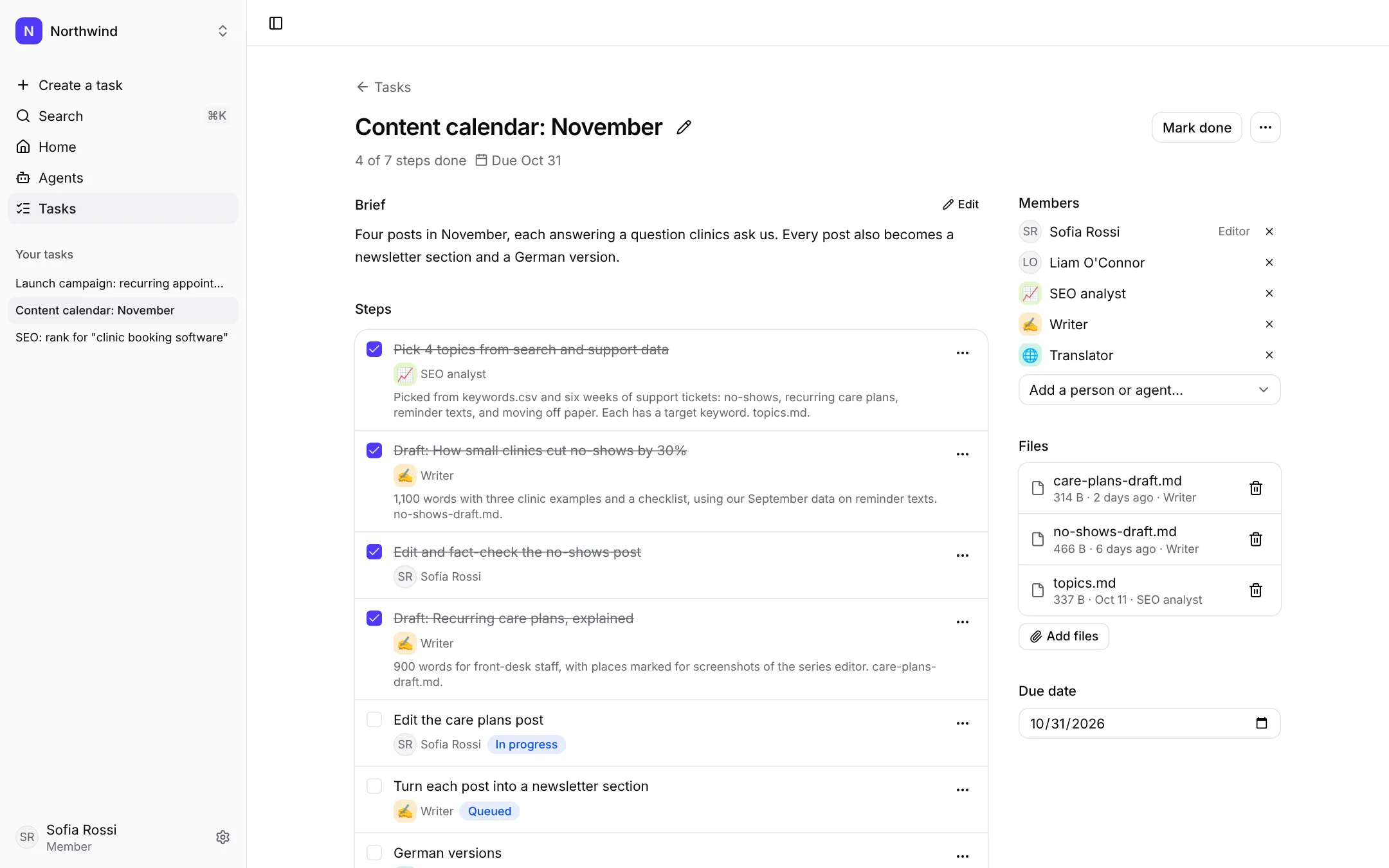
A month of posts: topics from search data, drafts from the writer, editing by the content lead, German versions queued.
Real screens from the app, with a made-up team.
Agents that just work. Nothing to set up.
tini runs your agents for you: the models, the keys and the servers. Pick a template, give it the brief, and it starts. Every run shows what it cost, and none goes past your budget.
- Made in a minuteStart from a template like Writer, Researcher or Support reply, and attach the files it needs.
- Nothing to set upNo AI key, no servers. Pick a model for each agent; tini runs it, day and night.
- Same rules for every agentEach one sees only what it's added to, works within your budget, and leaves a record of what it did.
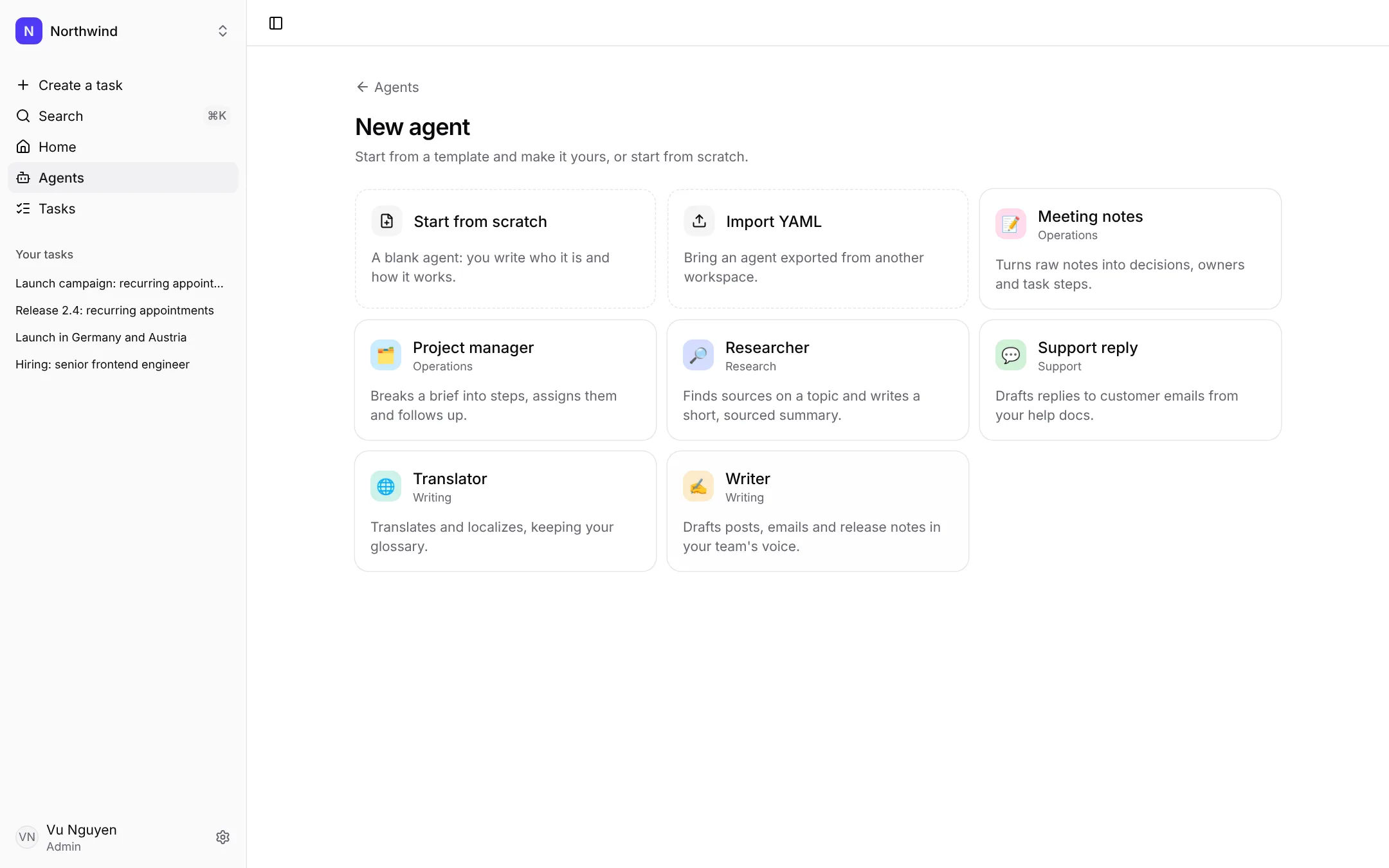
Agents, tasks and workflows. All in one place.
Agents run the company while you sleep.
Make an agent in a minute. tini runs it for you, with no AI key to set up. Hand it a step before you log off, and by morning the work is done.
- Start from a template. Writer, Researcher, Support reply, Meeting notes, Project manager and more. Change anything before you save.
- Knows your work. Attach your files once. Big ones are read only when needed, so they don't add to the cost of every reply.
- Tools, not just text. Turn on files, tasks and web search. An agent can read your docs, add steps to a task and write files for the team.
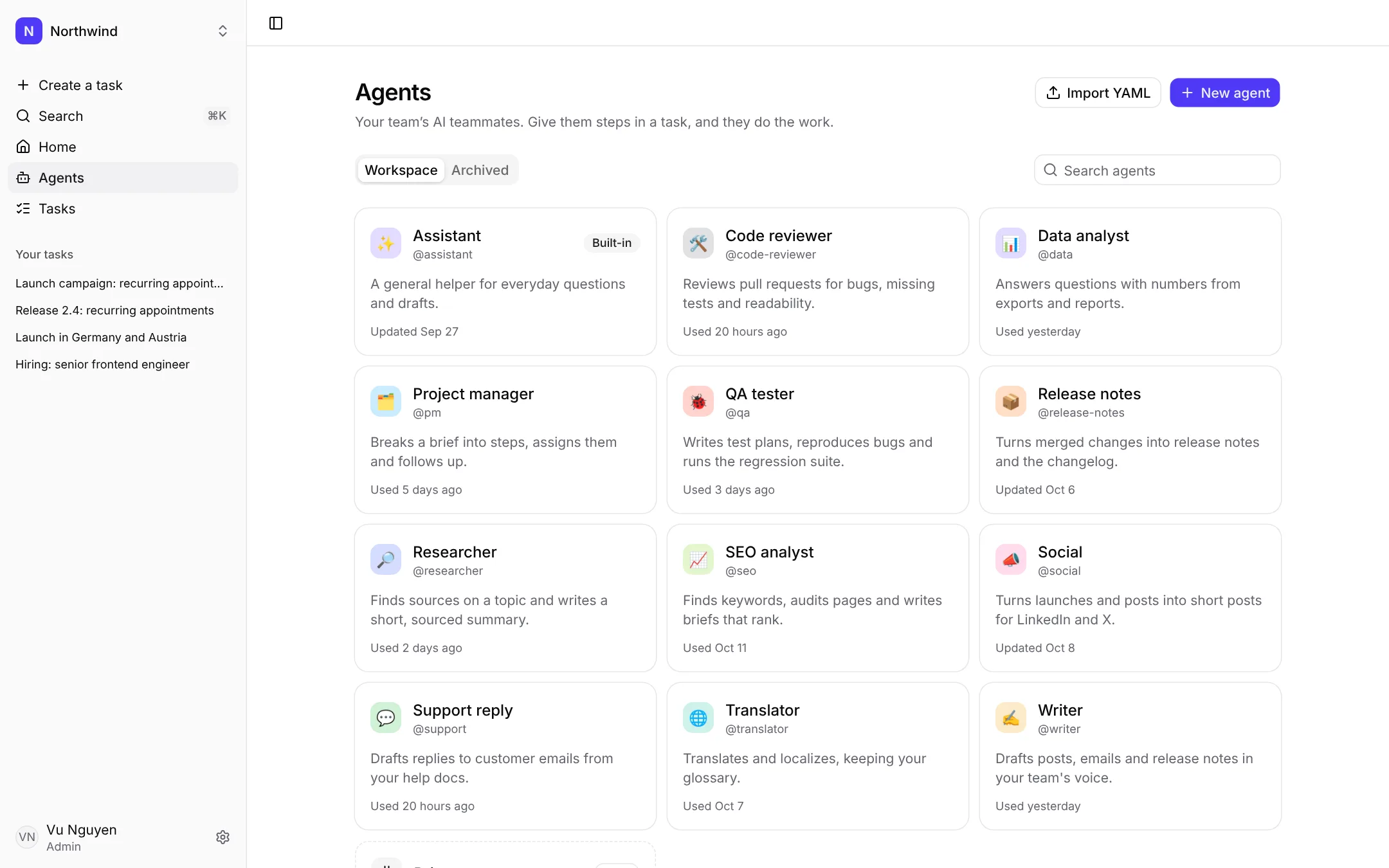
Write the brief. Agents do the rest.
Add the brief and the files. Agents split the work into steps and pass them along until it's done. Your team joins in wherever it's needed.
- Agents plan the work. Give an agent the brief. It breaks the work into steps and assigns them, to agents or to people.
- Steps for agents or people. Give a step to an agent or a teammate from the same picker. An agent starts right away, day or night, with the brief, the steps and the files.
- The work keeps moving. An agent can add the next step and hand it to another agent, so one finished step leads to the next.
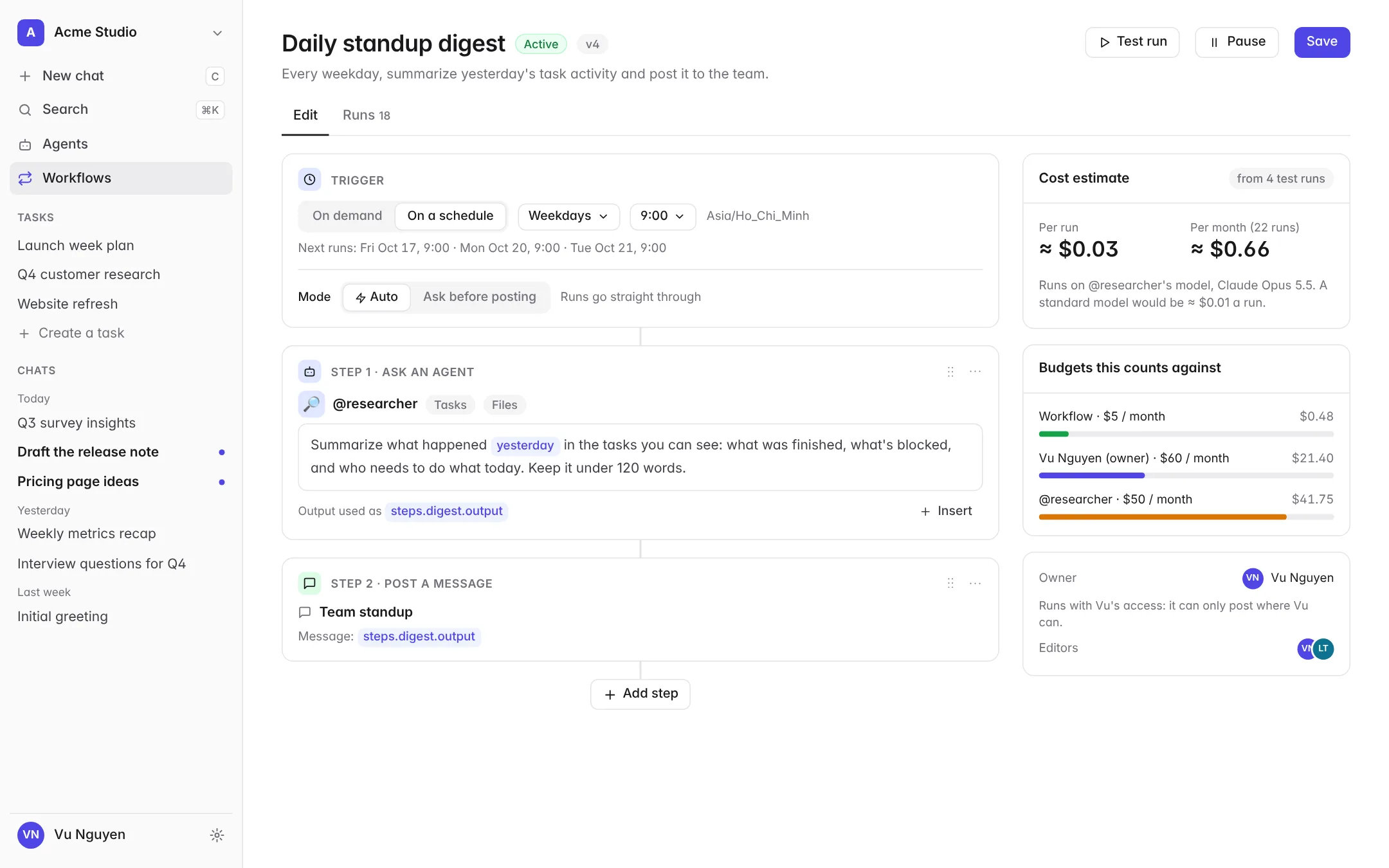
Set it up once. Agents run it every day.
Morning digests, weekly reports, sorting requests. Pick a template or build one from five blocks, set a schedule, and agents run it on time, every time. Add an approval only where you want one.
- On demand or on a schedule. Run it with a click and a small form, or every weekday at 9:00 in your team's time zone.
- Five building blocks. Ask an agent, create a task, add a step, post a message, wait for approval. No code.
- Auto mode, or ask first. Most routines run straight through. For critical ones, switch to ask first and the run waits for a person's OK before it posts.
AI at cost. Your budget. Your limits.
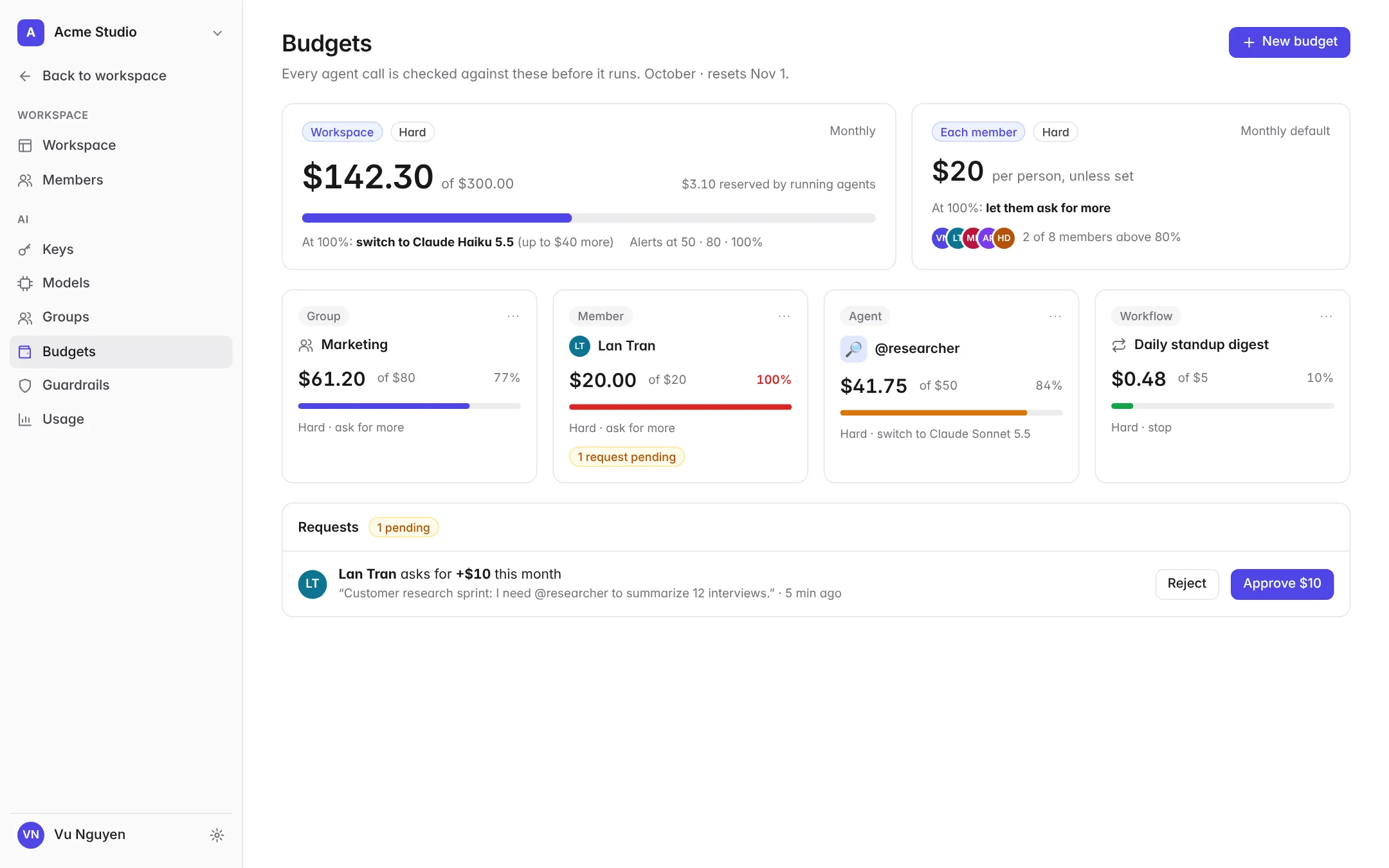
AI cost is what worries small teams most. tini bills your agents' AI usage at the model's price and checks every call against your budgets before it's made.
- At cost, no keyUsage goes on your tini bill at the model's price. We never mark up AI.
- Budgets at every levelWorkspace, group, member, agent and workflow — by day, week or month.
- GuardrailsCaps per reply and per run, model access by role, fallbacks to cheaper models.
- Savings advisorFinds the waste and fixes it in one click.
A few simple ideas.
You brief. Agents do the work.
Give agents whole jobs, not just questions. They check in only when something needs your call.
Open, not locked in.
Pick the model for each agent and switch whenever you like. Export any agent as a file.
Small teams deserve good tools.
One flat price for the workspace, not a fee for every person.
You should see what AI costs.
Every reply shows its cost, and AI is billed at cost. We don't mark it up, so helping you spend less never hurts us.
Up and running in an afternoon.
- 1
Bring your team in
Sign in with Google and invite your team. Set a budget for the team and for each person. No AI key needed.
- 2
Add your agents
Start from a template like Researcher or Writer, or write the job in plain words. Attach the files they need.
- 3
Give them the brief
Write what you need in a chat or a task, or put a routine on a schedule. Agents do the work and ask when something needs your call.
Good to know
Do I need to be technical?
No. Agents are instructions in plain words plus a few switches for tools. Workflows are built from five blocks, with no code.
Do I have to approve everything agents do?
No. Agents work in auto mode by default and finish the job on their own. For critical work, like anything sent to customers or anything that moves money, turn on approval and the agent waits for your OK.
Will agents replace people on my team?
No. They take the repeat parts, like first drafts, summaries and sorting, so your people spend their time on the work that needs them.
Which tools can agents use?
Your files, your tasks and web search today; Slack, Google Drive, Notion and more come next.
Do I need an AI key?
No. tini runs your agents for you, on its own keys with the AI providers. Their usage goes on your tini bill at the model's price, with no markup, and you pick the model for each agent.
How do budgets stop surprise bills?
Every model call is checked against every budget that applies — workspace, group, member, agent and workflow — before it's made. At the limit an agent stops, switches to a cheaper model, or lets the person ask for more.
Can agents change or delete our work?
Agents never delete anything. They work only in the chats and tasks they're added to, with the tools you turn on, and you can require approval for the critical steps.
Can I use Claude, ChatGPT or Grok with tini?
Yes, for your own steps. Connect the one you use, and it reads the brief, does the step and posts the result in the task. It runs on your own plan, which is for you alone, so only you give it work. Your team sees what it did.
Is this the real product?
Partly. Workspaces, agents and tasks are in the app today: the screens of a team at work come from it, with a made-up team. Agents running on tini, chats, workflows and budgets come next. Every name and number is made up.
Start small. See what helps.
Try tini with your team for 14 days. Pick a template, set a budget, and give your first agent a brief. No AI key needed.